
Appearance
Batch Format Database
Format every stored procedure, view, function, and trigger in a database with one operation. Review changes before applying.
Why it matters
- Establish consistent formatting across an entire database
- Quickly bring legacy code up to your team's standards
How to use it
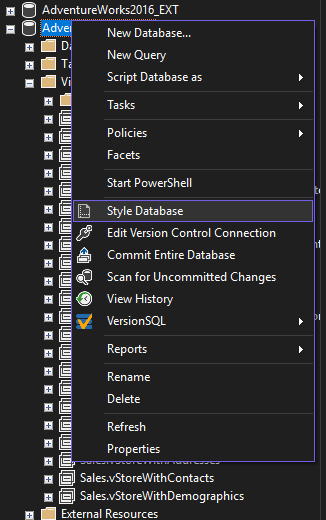
Open Style Database window
- In Object Explorer, right-click a database → "Style Database"
Scan the database
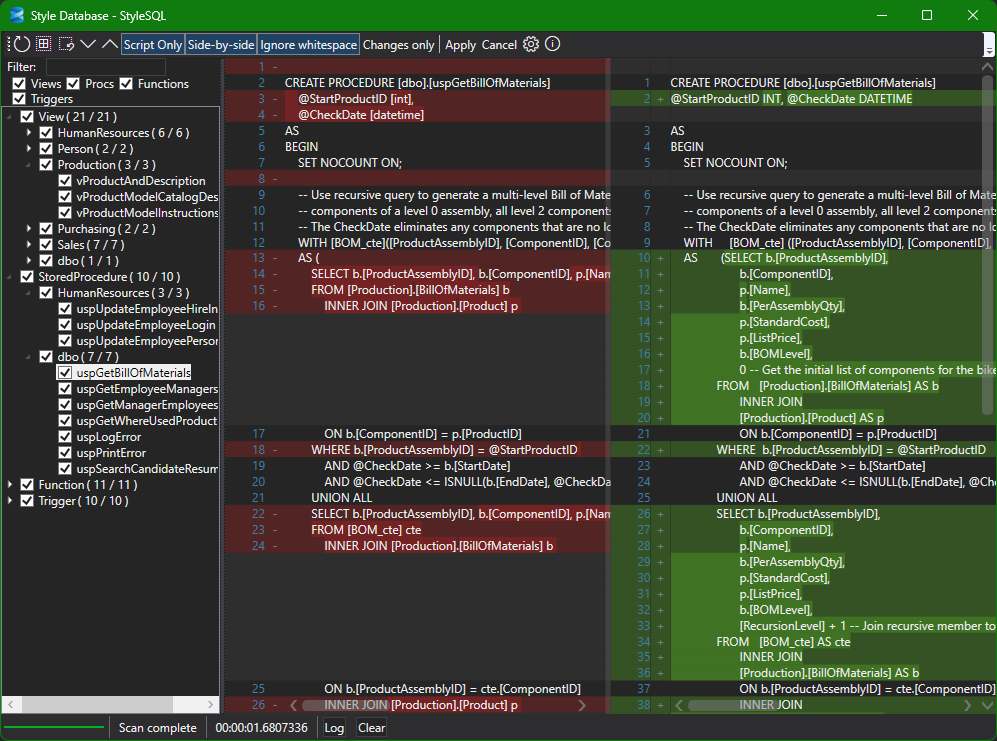
- The window automatically scans for objects (procedures, views, functions, triggers)
- Above the object tree, use the filter text box to search by object name
- Use the type checkboxes to include/exclude Procedures, Views, Functions, and Triggers
Review diffs
- Click an object to see side-by-side or inline diff
- Toggle "Ignore whitespace" and "Changes only" to focus on meaningful edits
Generate script
- Enable "Script Only" in the toolbar
- Click "Apply"
- Check the objects you want to include
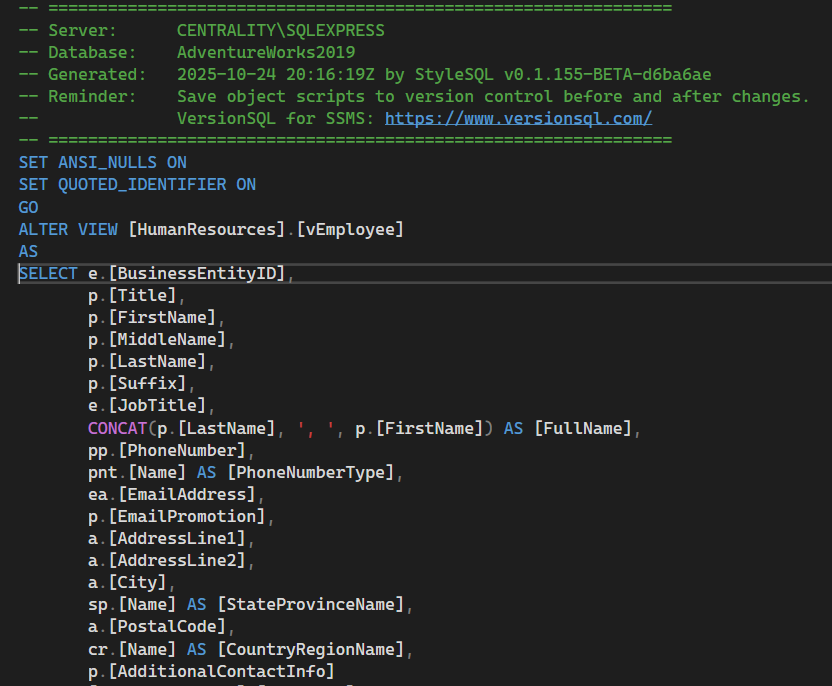
- Review the generated ALTER script in the editor
Execute when ready
- Run the script in SSMS to apply all formatting changes at once
What is "Script Only"?
When enabled, StyleSQL never applies changes directly to the database. Instead, it generates an ALTER script in a new editor tab so you can review, save to source control, and execute manually. This is the safest way to run batch formatting and is recommended for all environments.
Note: As of the current release, Script Only is required — direct execution from the Style Database window is not yet implemented.
Safety features
- Diff-first workflow — see every change before applying
- Selective formatting — check only the objects you want to update
- Script generation — review the ALTER script before execution
Tips
- Start with a small schema or object type to get comfortable with the workflow
- Commit the generated script to version control before executing
- Use a dedicated branch for formatting passes to minimize merge conflicts